
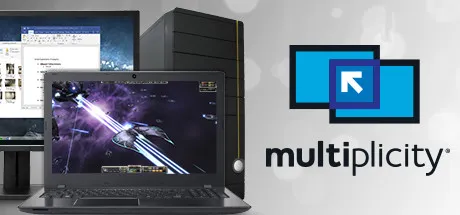
Instantly connect up to 2 PCs and control them with a single keyboard and mouse, copy/paste formatted text and images, send data easily between computers, and more. If you work between multiple computers to play, work, and create, Multiplicity is the tool you need to get more done.
Multiplicity wird aktuell zu 0 unterschiedlichen Preisen angeboten. Vergleiche die Preise, um den besten Deal zu finden.
Filters
€
to
€
Anbieter
Plattform
Region
Preis
Upgrade to Multiplicity KVMOwners of Multiplicity on Steam can upgrade to Multiplicity KVM for a reduced price:Über die Software
Share the heavy lifting of intense programs and keep virtual activities separate, but connected seamlessly between two computers. This versatile, secure, and affordable software solution lets you control two machines using one keyboard and mouse without the hassle of extra cables or the hardware needed for a traditional switch. Creatives love the ability to retain their formatting when they use Multiplicity to seamlessly copy and paste content from one PC to another. Designers and editors alike use seamless mode to run editing programs alongside their intense graphic design applications without experiencing lag, stutter, or drop in frame rate. Audio sharing lets you listen to sound from both PCs without switching headsets and speakers. If you run two computers when you're gaming, streaming, or video-sharing, Multiplicity can keep your PC running optimally. Use your laptop or another machine for additional tasks while you play without having to constantly switch back and forth between keyboards. Multiplicity’s seamless mode allows you to establish a keyboard and mouse connection between your two computers while they’re adjacent to each other and on the same network. You can stack your displays and move easily between them, or create a virtual laptop “docking space” that will easily reconnect every time it comes back within proximity. If you use multiple PCs on a regular basis, Multiplicity is the solution you’ve been looking for. Features: Switch seamlessly between 2 PCs with one mouse and keyboard Copy and paste files, folders, text, and images between PCs Hot Keys for quick access to other PCs Listen to audio from multiple PCs through one PC
Veröffentlichungsdatum:
7. Sep. 2017
Entwickler:
Stardock
Publisher:
Stardock
Unser Preisvergleich vergleicht tausende Angebote, um das beste Angebot für Ihr Lieblingsspiel zu finden. Dabei legen wir großen Wert auf Neutralität und Transparenz, denn nur so können Sie sich auf unsere Empfehlungen verlassen.
Mehrmals täglich durchsuchen wir automatisiert die Angebote unserer Partner-Shops. Dabei erfassen wir alle relevanten Informationen, um für Sie den bestmöglichen Preisvergleich zu gestalten. Besonderen Wert legen wir auf eine faire Darstellung: Alle Shops werden nach den selben objektiven Kriterien aufgelistet. Die Reihenfolge der Ergebnisse wird nicht von uns beeinflusst, sondern bestimmt sich in erster Linie nach dem Gesamtpreis und der Relevanz des Produktes.
Hinweis: Die angezeigten Angebote können sich zwischenzeitlich ändern. Wir übernehmen keine Haftung für die Korrektheit der dargestellten Preise.
Unser Service ist für alle Nutzer komplett kostenlos. Wir finanzieren uns über sogenannte Affiliate-Provisionen. Das heißt: Kaufen Sie ein Produkt über einen unserer Links, erhalten wir eine kleine Provision durch den Händler.
Wichtig zu wissen:
Auch wenn wir Provisionen erhalten, bleiben unsere Empfehlungen unabhängig. Das garantieren wir Ihnen. Sollten wir jemals besondere Vereinbarungen mit einzelnen Händlern haben, werden wir dies klar kennzeichnen.